For design studios
Planning for small design studios that protects the making time.
Studios run on focused time and on reviews that need the right people in the room. Stoa plans the week in days, lets each designer plan tomorrow, and flags the handoffs that would leave someone waiting.
Making time is the scarce resource
In a design studio, the best work happens in long, quiet stretches. The plan’s job is to protect those stretches, while still making sure feedback rounds, client presentations, and production deadlines happen on time. Most planning tools are built for one or the other: either a calendar full of meetings or a task list with no sense of the day.
Stoa splits the job in two. The studio lead plans the week in days: who is on which client and which project. Each designer plans tomorrow in the evening: which tasks, in what order, and roughly how long.
The week, in full and half days
On the week board, a project is a block of full or half days. A studio lead can give someone Monday and Tuesday on the identity project, Wednesday morning on the website, and keep Wednesday afternoon for reviews. Time off and studio holidays appear on the board, so planning around a long weekend or a trip is straightforward.
Tomorrow, planned by the person doing the work
A designer knows better than anyone how long the next round of a logo will take. In Stoa, they plan their own day. The plan starts from the week board and from any tasks the lead suggested, with a note explaining why. The designer can keep a suggestion, move it, replace it, or say they cannot take it, and the lead hears back.
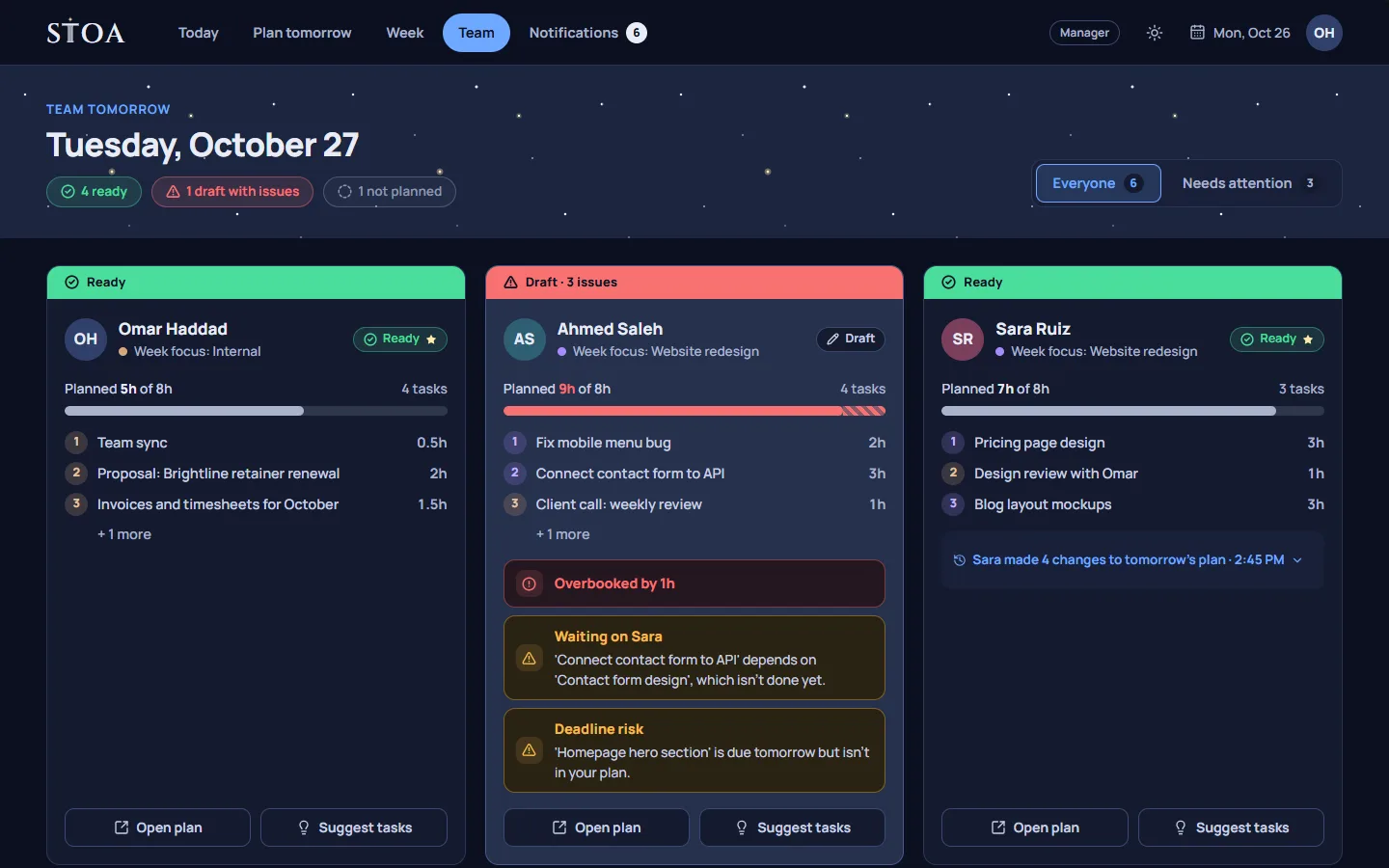
The tomorrow check then looks for problems. If a designer’s plan for tomorrow is longer than the working day, or depends on copy that nobody has planned to write, or includes a session with a colleague who is off tomorrow, it says so while there is still time to fix it.
Reviews that actually happen
Feedback rounds stall when the reviewer did not plan for them. On team tomorrow, a studio lead sees their own plan beside each designer’s. If a review is needed in the morning and the lead’s morning is full, that is visible the evening before. Moving one task fixes it.
An example week
Take a studio of five with an identity project due on Thursday and a website in progress. On Monday, the lead gives two designers Monday to Wednesday on the identity, one designer the website all week, and keeps Thursday morning for the client presentation. Each evening, the designers plan the next day: logo refinements, a type study, a round of mockups. On Tuesday evening the check points out that Wednesday’s mockup review depends on copy that nobody has planned to write. The lead asks the copywriter to start with it on Wednesday morning, and the review happens on time.
Calm, by design
Studios tend to dislike tools that feel like surveillance. Stoa has no timers, no screenshots, and no activity tracking. Hours come only from the plan a person confirms at the end of the day. Updates stay inside Stoa, in Notifications, rather than in email. When a deadline means a late night, the extra hours are recorded as overtime and acknowledged, so they are seen and can be balanced out later.
What Stoa does not do for studios
Stoa does not hold files, mood boards, or client feedback, and it does not do proofing, budgets, or invoicing. Keep those where they are today. Stoa is the daily plan that sits on top: who is on which project this week, and what each person will do tomorrow.
You can bring your current task list in from a CSV export of Trello, Asana, or a spreadsheet, and share a read-only view of the week with a client. That view shows who is on which project on which day, without task titles or hours.
One price for the studio
There is a plan named Studio, for up to 10 people, though any plan works for a studio of the right size. Every plan covers the whole team for one price and starts with a 14-day free trial. See pricing for all the plans.
Plan tomorrow tonight, starting this week.
14 days free, no card needed. One price covers the whole team, from 2 to 30 people.